
Memory
Overview
Section titled “Overview”When memory is enabled, Kindo remembers useful context from your conversations — notes from what you discussed, plus facts you ask it to remember — and recalls the relevant pieces in later conversations so you do not have to repeat yourself.
For step-by-step walkthroughs, see the Use Memory quickstart.
How Memory Works
Section titled “How Memory Works”Capture — Kindo keeps notes from your conversations, and the assistant saves specific facts when you ask it to remember something (or removes them when you ask it to forget). Memory is platform-authored: there is no manual entry form — everything stored comes from your conversations.
Recall — In later conversations, Kindo searches your stored memories and provides the relevant ones to the model as context.
Control — Memory is transparent and user-controlled. Every stored memory is visible on the User Memory page in your personal settings, where you can review, edit, or delete any of them (or delete all of them). A per-user Memory toggle in the chat settings menu turns the whole feature off for you.
The Two Kinds of Memory
Section titled “The Two Kinds of Memory”Kindo provides two kinds of memory. They never overlap: each conversation uses one or the other, never both.
| User Memory | Agent Memory | |
|---|---|---|
| Scoped to | You, within your organization | A single agent |
| Applies in | Chats — direct conversations with a model | Conversations with that agent |
| Who can see it | Only you | Everyone who uses the agent |
| Shared? | Never — private to your use of the platform | Yes — shared across all runs and all users of the agent |
| How enabled | On when memory is available for your org; opt out with the Memory toggle | Consent-gated: both the org admin and the agent’s author must opt the agent in |
User Memory
Section titled “User Memory”User Memory is scoped to you within your organization. It is private — no other user can see or search your memories. Organization administrators can review activity through audit logs.
User Memory applies only in chats: direct conversations with a model (Ask and Actions modes). It does not apply when you converse with an agent.
You manage it yourself:
- View, edit, delete individual memories — or delete all — from the User Memory page in your personal settings.
- Turn it off with the Memory toggle in the chat settings menu. The preference persists across sessions.
Agent Memory
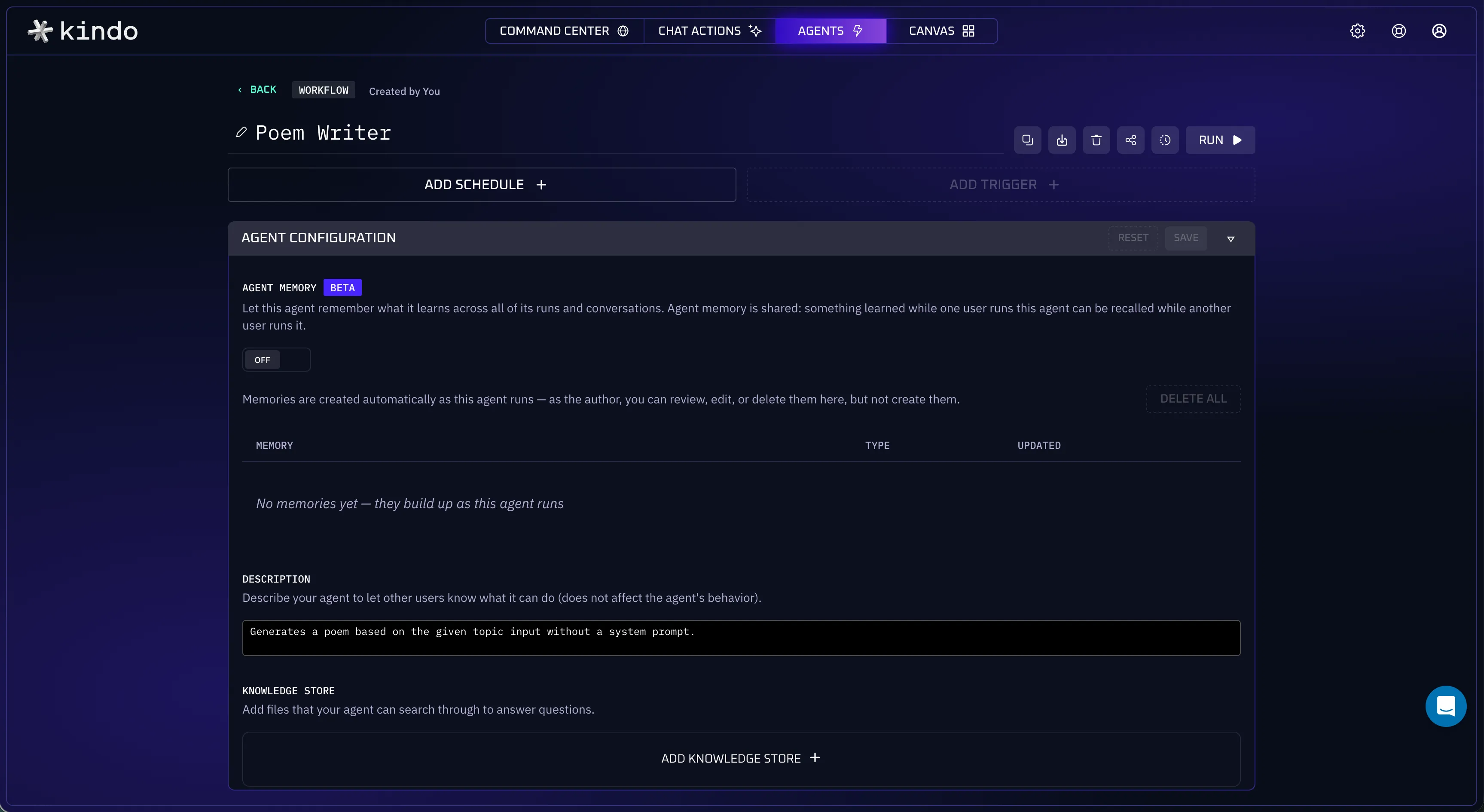
Section titled “Agent Memory”Agent Memory is scoped to an agent. Where User Memory is private to one person, an agent’s memory is shared across all runs and all users of that agent — a fact captured while one person works with the agent can be recalled when a different person uses it later.
Because that crosses the usual boundary between users’ sessions, Agent Memory is consent-gated: it stays off unless both the organization administrator and the agent’s author explicitly opt the agent in — enabling requires both to acknowledge the shared-memory model.
When Agent Memory is on for the agent you are talking to, the chat settings menu shows this: an added read-only Agent Memory row with a short reminder that the memory is shared, and the menu’s trigger reads “MEMORY ON” so the state is visible without opening the menu. Your per-user Memory toggle still appears alongside it when User Memory is available in your organization — disabled during the agent run, since an agent conversation never uses your User Memory.
How Memory Is Scoped
Section titled “How Memory Is Scoped”Every memory belongs to exactly one scope: your organization plus either a user (User Memory) or an agent (Agent Memory). Memories never cross organizations, never cross users, and never cross agents.
Each conversation reads and writes exactly one memory space:
- A chat uses your User Memory.
- An agent conversation uses that agent’s Agent Memory (when enabled) — never your User Memory.
There is no conversation in which both apply. This is why the Memory toggle in the chat settings menu is disabled while you are working with an agent: user memory is not available in agent conversations.
Memory Tools
Section titled “Memory Tools”When memory is enabled, the model has four memory tools. When the model invokes one, the call appears in the conversation like any other tool use; automatic recall and capture happen in the background:
| Tool | Kind | What it does |
|---|---|---|
memory_search | Read | Finds stored memories relevant to a query |
memory_get | Read | Reads a specific memory document |
memory_store | Write | Saves a fact. Reports a duplicate if a near-identical memory already exists instead of writing a second copy |
memory_forget | Write | Removes a memory — by direct reference, or by search query when exactly one confident match is found |
The tools operate only on the conversation’s single memory scope.
Common Tasks
Section titled “Common Tasks”Configuration
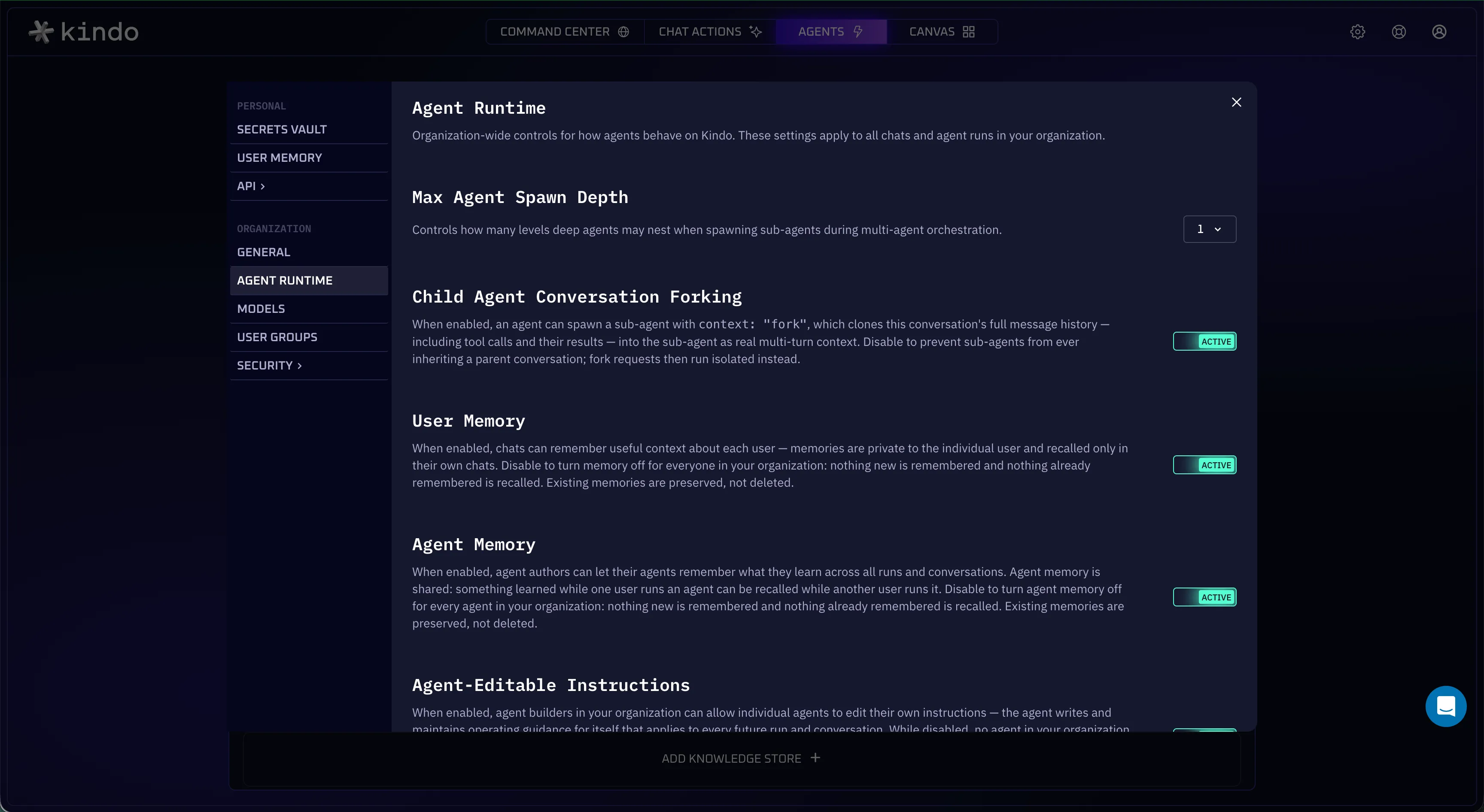
Section titled “Configuration”Memory is on by default. Organization administrators can turn it off, as described below.
Organization Level
Section titled “Organization Level”Organization administrators can turn memory on or off for the entire organization under Settings → Organization → Agent Runtime. When the organization toggle is off, memory is inert for everyone: no capture, no recall, no memory tools.
User Level
Section titled “User Level”Each user can opt out individually with the Memory toggle in the chat settings menu, and can manage stored memories from the User Memory page in personal settings. A user’s opt-out affects only that user.
Agent Level
Section titled “Agent Level”Agent Memory is additionally gated per agent by the dual consent described above — both the org admin and the agent author must opt in.
Verification
Section titled “Verification”To confirm memory is working for you, save a distinctive fact and check that a fresh chat recalls it.
-
Save a distinctive fact, e.g.: “Remember that I prefer answers as bullet points.”
-
Start a fresh chat with Memory on.
-
Ask a question the fact applies to.
-
The response reflects the remembered preference — for this example, it arrives as bullet points.
Recall is relevance-based: Kindo searches your stored memories and provides the ones related to the current topic, not all of them.
Troubleshooting
Section titled “Troubleshooting”No Memory toggle appears in the chat settings menu
An administrator turned memory off for your organization, or you turned off your own Memory toggle. The User Memory page in your personal settings is visible either way and notes when the feature is unavailable.
The Memory toggle is greyed out in a conversation
You are conversing with an agent. This is expected: User Memory applies only in chats, and the single-partition rule means an agent conversation never touches your User Memory.
Something wasn’t recalled in a later conversation
Recall surfaces only the stored memories relevant to the current topic. For facts that matter, ask the assistant explicitly to remember them, and confirm your Memory toggle is on.
A deleted memory still shows up in the current conversation
Deleting a memory removes it from storage, but a conversation that already recalled it keeps its existing context. Later conversations will not recall it.
The assistant reports a duplicate when saving
memory_store declines to write when a near-identical memory already exists. Review the existing memory on the User Memory page; edit it there if it needs updating.
Does memory change what the model can see inside one conversation?
No. Within a single conversation the model already sees the whole conversation. Memory is about carrying context across conversations.
Can I add a memory directly, without a conversation?
No. Memory is captured from conversations. To add a fact, ask the assistant to remember it.
Can my administrator read my memories?
Your User Memory is private — no other user can see or search it. Administrators can review activity through audit logs and other administrative tools.
Does turning the Memory toggle off delete my memories?
No. The toggle stops capture and recall for your User Memory; stored memories remain on the User Memory page until you delete them.
What happens to my User Memory in agent conversations?
Nothing. Agent conversations never read or write your User Memory.
Is my memory shared with anyone?
User Memory is never shared with other users. Agent Memory is shared by design across the users of that agent — and only exists for agents that were explicitly opted in by both the administrator and the agent’s author.